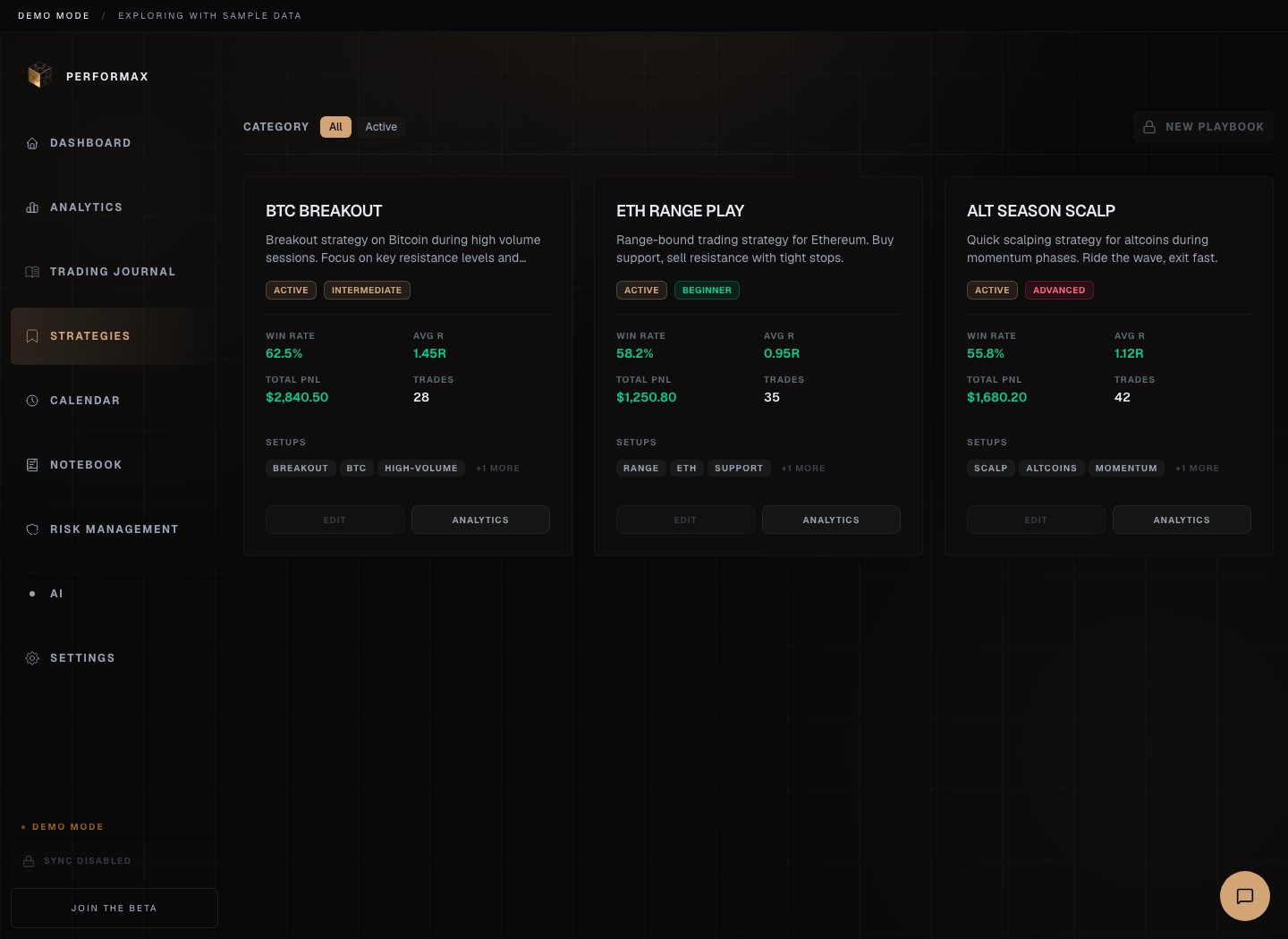
Strategies is where you define, review, and measure your trading playbooks. A playbook is one strategy record: thesis, setup rules, entry criteria, exit criteria, checklist, and performance history. Performax demo strategies page showing strategy cards with win rate, average R, total P&L, and setup tags Demo account. Strategy performance describes historical trades only.

Create a strategy

  1. Open Strategies.
  2. Click New Strategy or New Playbook depending on the current UI label.
  3. Add a name and category.
  4. Describe the setup thesis.
  5. Add entry criteria.
  6. Add exit criteria.
  7. Add checklist items.
  8. Save.
Expected result: the strategy is available for tagging trades and comparing performance.

Use a strategy in review

Assign trades from the Journal or trade detail view. Track:
  • trade count;
  • win rate;
  • average R-Multiple;
  • total P&L;
  • profit factor;
  • best and worst trades.
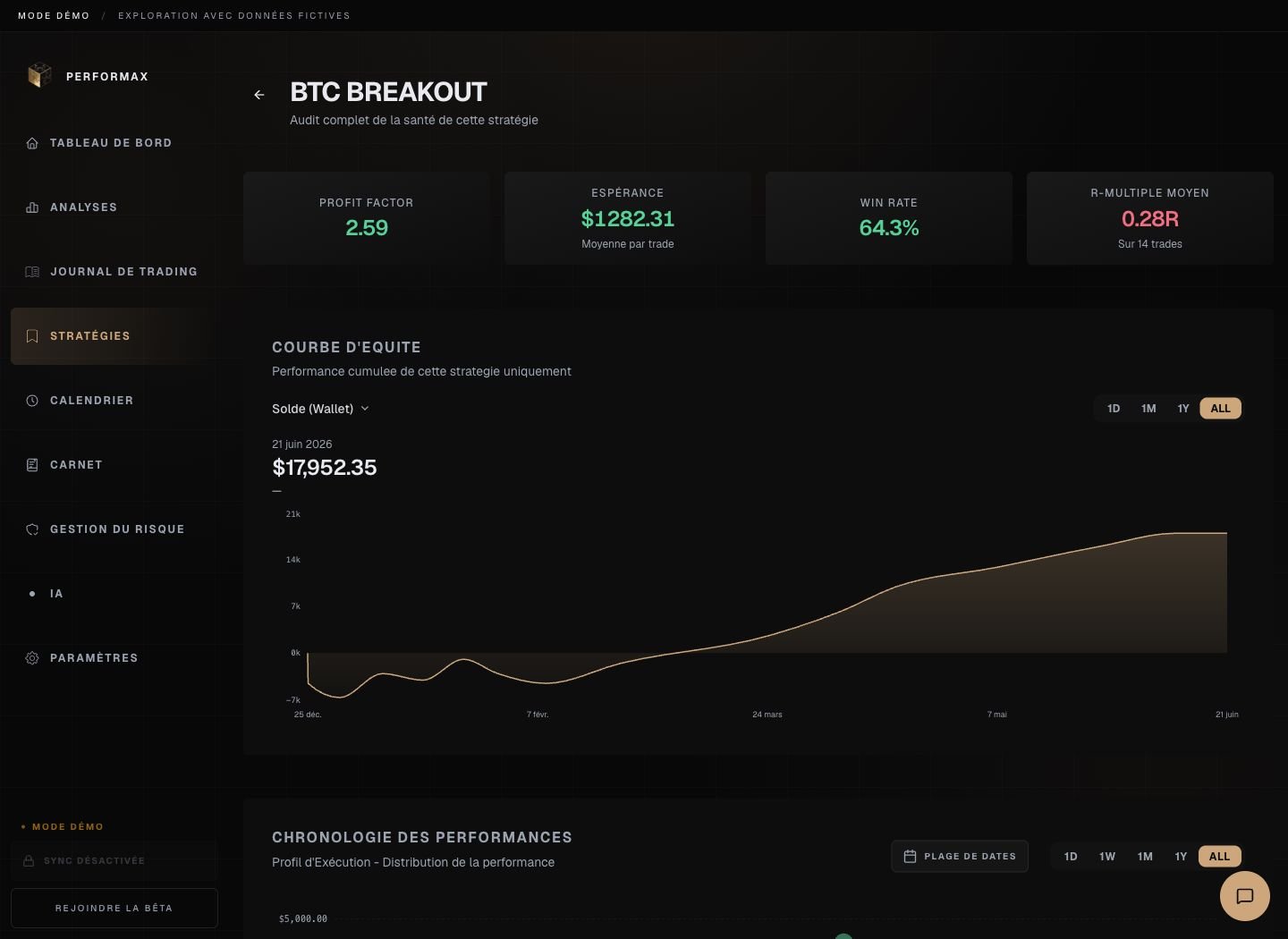
The numbers describe your historical use of that strategy. They do not prove it will work in the future. Click Analytics on a strategy card to open the strategy-scoped analysis. Performax demo strategy analytics page showing KPI cards, an equity curve, and performance timeline for one strategy Demo account. This view only includes trades linked to the selected strategy.

Trade plans

Trade plans let you write the plan before execution and compare it with the resulting trade later. A plan can include:
  • symbol;
  • long or short side;
  • entry idea;
  • invalidation level;
  • target;
  • checklist;
  • notes.
After execution, attach the resulting trade to compare plan and outcome.

Checklists

Use checklists for objective setup conditions:
  • market context;
  • confirmation signal;
  • risk check;
  • position size check;
  • invalidation condition;
  • exit rule.
If a checklist item is subjective, rewrite it until another person could evaluate it the same way.

Archive

Archive strategies you no longer trade. Archived strategies keep historical analytics but should not appear as active choices during normal review.

Naming

The app navigation uses Strategies. Some older copy and internal concepts use playbook. In this documentation, a playbook means one strategy object inside Strategies.